The 2-Minute Listing: How to Automate Your Reselling Workflow
If you want to automate your reselling workflow and build a six-figure business, you cannot spend 15 minutes listing a single item.
Let’s look at the math. If you profit $15 per item, and it takes you 15 minutes to list it, your theoretical max earnings are capped at $60/hour. And that is before you account for sourcing, shipping, and taxes.
The “Operator” mindset is simple: Inventory that isn’t listed is debt. It takes up space, it ties up cash, and it weighs on your mind.
To break through the income ceiling, you must radically increase your speed. We call this the “2-Minute Listing.” Here is how you execute it to double your hourly rate.
Step 1: The Batch Protocol
Amateurs pick up one item, photograph it, measure it, and list it. Then they pick up the next item. This “task switching” kills your brain’s momentum. You cannot effectively automate your reselling workflow if you are physically touching the same item ten times.
You must switch to an Assembly Line workflow. Do one task for 20 items in a row.
1. Prep (20 Mins)
Steam, inspect, and remove tags for 20 items at once. Check pockets now, not later.
2. Photo (20 Mins)
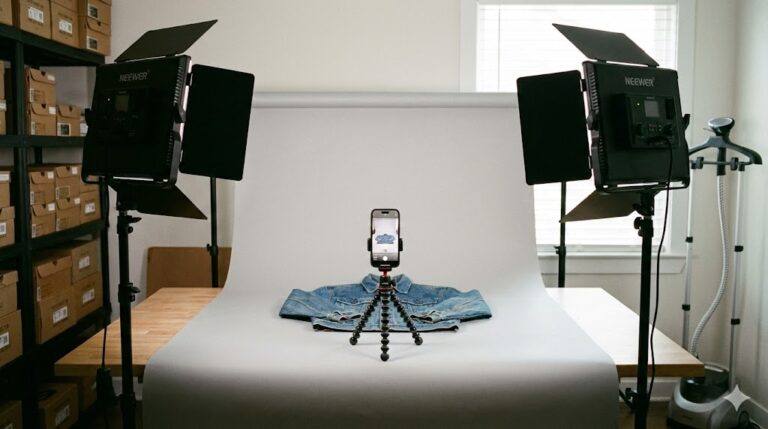
Shoot all 20 items. Keep your camera settings locked. Do not edit photos yet.
3. List (20 Mins)
Sit down at the computer and list them all in one focused sprint.
Step 2: The “Good Enough” Photo Standard
Perfection is the enemy of profit. Buyers want to see the condition, not art. Stop editing your white balance in Photoshop. Stop trying to remove every wrinkle.
To truly speed up the process, you need a strict standard. Use your phone, use square mode, and take these 6 shots every single time:
The Operator’s Hack
Taking a photo of the measurements saves you from typing them out later. It also reduces “Item Not Described” returns because the buyer can see the ruler themselves.
Step 3: Dictation Over Typing
Why type “Men’s Blue Nike T-Shirt Size Large” when you can say it in 1 second?
Mobile listing is faster because of Voice Dictation. Tap the microphone icon on your keyboard and speak your title and description. It is 3x faster than typing on a laptop.
Pro Tip: Learn the dictation commands. Saying “New Line” or “Period” allows you to format the description perfectly without ever touching the keys.
Step 4: The Hardware Stack
You cannot build a house with a plastic hammer. To list at speed, you need the right tools. Learning to automate your reselling workflow requires a hardware upgrade, not just software.
Step 5: Avoid the “Pricing Trap”
The single biggest time-waster for new resellers is Analysis Paralysis on pricing.
Do not spend 10 minutes searching for the exact “Comps” (comparable sales) for a basic J.Crew sweater. It is likely worth $18-$22. Pick a number and move on. Part of the goal to automate your reselling workflow is removing mental friction, not just physical steps.
If you price it $2 too low, you sold it fast. Good. If you price it $5 too high, you can lower it later. But you can never get back the 10 minutes you spent stressing over the price.
Step 6: The Automation Tool
The final piece of the puzzle is software. If you want to fully automate your reselling workflow, you cannot rely on manual data entry.
This is where Nifty changes the math. Instead of creating a listing from scratch, you can use templates that pre-fill your shipping policies, item conditions, and brand details.
More importantly, it handles the cross-listing. Once you finish that 2-minute listing on eBay, Nifty pushes it to Poshmark and Mercari instantly. It manages your inventory so you don’t accidentally sell the same item twice, effectively cloning your workforce without hiring an employee.